

The Highest-Impact Changes for Your Spine Are Almost Always Free
Most people are sitting far more than they realize, in positions that compound strain over months and years. The good news: the corrections that matter most rarely require equipment or expense.
Also in Patient Resources
It's Not Just How You Sit. It's How Long.
Think about a typical day honestly. You sit through your morning: breakfast, getting ready, the commute. Then you sit through most of your workday. In the evening, you sit again through dinner, screens, and winding down. Most people who say they do not sit that much are logging eight to ten hours of seated time per day when they count it all up. That is forty to fifty hours per week. Somewhere between one hundred and sixty and two hundred hours per month. Approaching two thousand hours over a year. That is how cumulative spinal strain builds. Not from a single bad lift or one long flight, but from two thousand hours of load in whatever position happens to be your default. This is why the setup of that position matters so much, and why even small corrections, most of which cost nothing, compound over time in exactly the same way that poor positioning has been compounding against you. This page covers the environments that matter most and the specific changes with the highest return for each.
The Four Environments That Matter Most
For most people, spine load accumulates in four places: the desk, the screen, the lift, and the vehicle. Each has a small number of high-leverage variables. Get those right and you remove the majority of daily strain.
Your Desk Setup
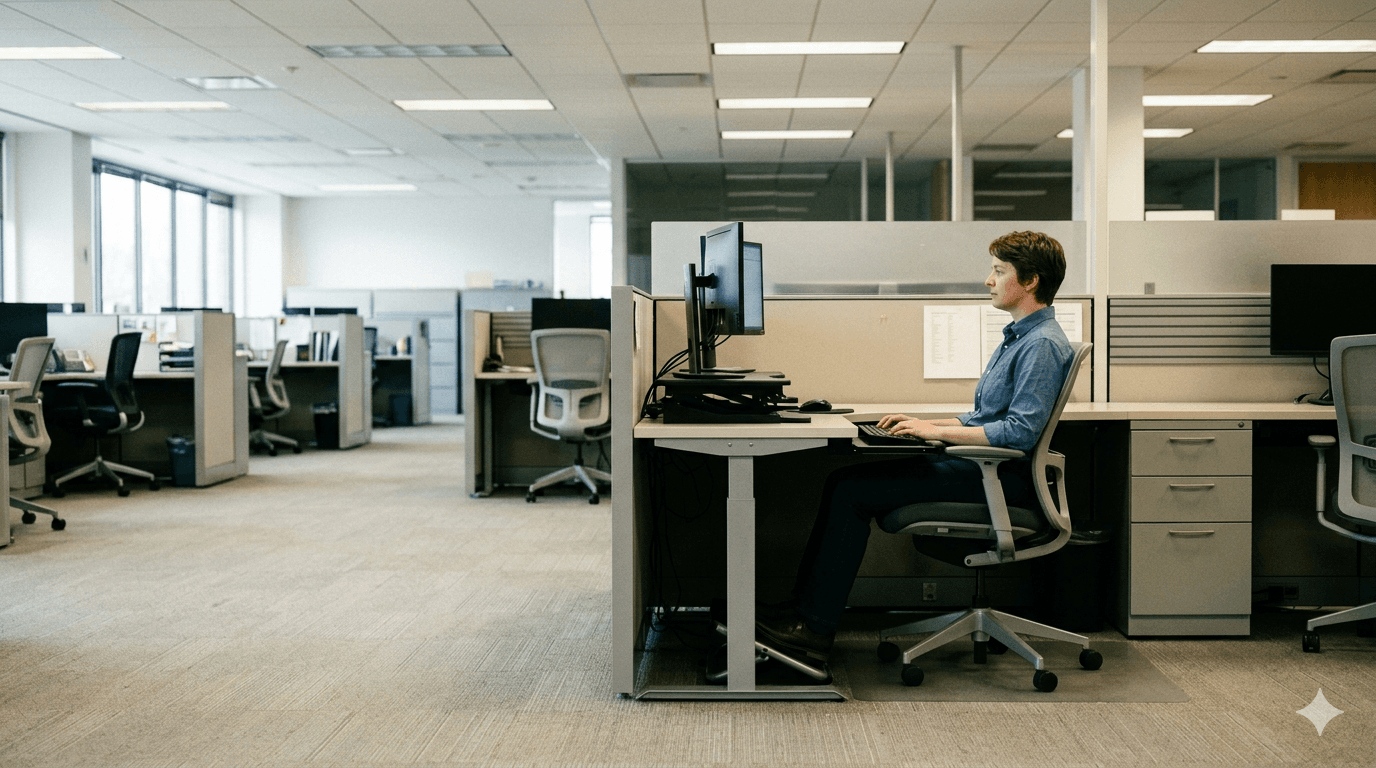
Monitor top at or just below eye level. Looking down even slightly pitches your head forward, and for every inch of forward head posture the effective load on your cervical spine roughly doubles. Chair at a height where your feet are flat on the floor, knees at 90 degrees, hips at or slightly above knee level. Lumbar support is non-negotiable: either built-in or a small rolled towel placed at the natural curve of your low back. Armrests at elbow height reduce the constant load your upper trapezius carries across a workday. Laptop users: the default laptop setup, with the screen below eye level and the keyboard too close, is one of the most ergonomically compromised positions in modern work. An external monitor or laptop stand with a separate keyboard is the single highest-impact change most laptop users can make.
Tech Neck and Screen Time
At neutral head posture your neck manages roughly 10 to 12 lbs of load. At 15 degrees of forward tilt that becomes 27 lbs. At 45 to 60 degrees, the angle at which most people hold a phone, it reaches 40 to 60 lbs. For extended periods, daily. The cumulative effect on the cervical discs and posterior neck musculature is significant and measurable. The fix is straightforward: raise the device to eye level rather than dropping your chin. Take breaks from scrolling. Avoid extended phone use while lying on your stomach. If you are already experiencing neck pain, headaches, or upper back tension and spending significant time on a screen, forward head posture is almost certainly part of the picture. We can confirm it and tell you exactly how far your posture has drifted.
Lifting Mechanics
The mechanics are simple. The execution, especially when rushed or distracted, is where disc injuries are born. Load your legs, not your back: hinge at the hips and knees, keep your spine neutral rather than rounding forward. Keep the object close to your body; the further it travels from your centre of mass, the greater the torque on your lumbar spine. Turn with your feet rather than twisting your spine under load. Slow down. The majority of acute disc injuries occur when people are moving quickly without thinking about their mechanics. This applies equally to a tradesperson lifting materials all day and a parent lifting a child out of a crib. The spine does not distinguish between the two. Load is load, and poor mechanics under load are where disc injuries live.
Your Vehicle
Most people spend significant time in their vehicle and give almost no thought to the setup. Sitting too far from the pedals forces the legs to extend, which flattens the lumbar curve and increases low back strain. Sitting fully upright creates excessive lumbar compression; a slight seat recline of 100 to 110 degrees is typically more comfortable and less compressive than vertical. If your seat lacks adequate lumbar support, a small rolled towel or travel lumbar roll placed at the curve of your low back is a legitimate clinical fix. Adjust your headrest so it contacts the back of your head, not your neck, to reduce whiplash risk in a rear-end collision. On any drive over 45 minutes, stop and walk for two to three minutes. Your discs rehydrate with movement, and the recovery from a brief stop costs far less than the accumulated strain of staying seated.
What Ergonomic Changes Actually Deliver
Ergonomics is not about comfort. It is about removing the mechanical inputs that drive injury and degeneration over time.
Reduced Daily Pain Load
The most common immediate benefit our patients report after implementing ergonomic changes is a reduction in the low-grade daily pain that they had stopped noticing. The stiff neck on waking. The low back ache by 2 p.m. The shoulder that won't fully relax. These symptoms are not inevitable. They are usually the signal of a correctable mechanical input that has been running unchecked. Removing it changes the baseline.
Protects Your Treatment Outcomes
Manual therapy and exercise can restore mobility and reduce nerve irritation. But if you return to the same ergonomic conditions that created the problem, recovery stalls. Patients who combine in-clinic care with meaningful ergonomic changes hold their improvements between visits, require fewer appointments over time, and have significantly lower re-injury rates. Treatment addresses the damage. Ergonomics removes the cause.
Prevents the Next Injury
Most of the patients we see for acute disc injuries had a warning period they either did not recognize or did not act on. Increasing stiffness. Intermittent nerve symptoms. Pain that came and went but never fully resolved. Ergonomic problems announce themselves gradually. Addressing them at the early-signal stage is always faster and less disruptive than addressing a full acute injury. If something does not feel right, that is the right time to come in.
Teaches You to Self-Assess
Every ergonomic recommendation we make is explained. We want you to understand the mechanism, why the monitor height matters and what the lumbar curve is doing when your seat is too low, so that you can assess new environments yourself. A patient who understands the principles behind good spinal positioning does not need us every time they get a new desk or change jobs. That level of self-management is the goal.
What a Thoughtful Ergonomic Plan Actually Looks Like
A formal ergonomic assessment is a specialist service. What we provide is something different: a clinical perspective on the postures and environments contributing to your problem, and practical recommendations based on what we find.
We Ask About Your Environment
At your initial assessment we ask specifically about your daily setup: hours at a desk, commute time, workstation configuration, and any physical demands your work places on your body. Most clinics skip this. We do not. The answers shape both the diagnosis and the recommendations that follow.
We Connect It to What We Find
A forward head position, an anteriorly tilted pelvis, or chronic upper trapezius tension each have signature environmental causes. When we assess your posture and movement patterns, we are reading what your daily environment has been doing to your body. That tells us where the most impactful corrections are and what is worth addressing first.
Practical Recommendations, Not a Renovation
Based on your history and assessment, we identify the two or three changes with the highest return for your situation. We will always suggest the lowest-cost option that works. A rolled towel, a monitor riser, a different sitting position. We will not send you to spend money on equipment if free adjustments will do the same job.
Refined as You Progress
Ergonomic recommendations often benefit from adjustment as your recovery advances. What works at the start of care may need updating as mobility and pain tolerance improve. We revisit your environment as part of follow-up visits and refine as needed. The goal is a daily setup that actively supports your recovery long after your course of care is complete.
Do I need to buy a standing desk or expensive ergonomic chair?
Rarely. A folded towel for lumbar support, books under your monitor, a pillow between your knees at night: these cost nothing and can have an immediate impact. We will always identify the highest-leverage, lowest-cost changes first. When equipment genuinely matters, we will be specific about what to look for rather than sending you to spend money on the wrong thing.
My job requires me to sit for eight hours. Can ergonomics actually help?
Yes, significantly. The research is consistent: it is not just the duration of sitting but the quality of the position and how often you break it up. A properly set-up workstation combined with brief movement breaks every 30 to 45 minutes can dramatically reduce the cumulative spinal load of a full workday. These are changes you can make today without your employer's involvement.
How do I know if my current setup is causing my pain?
A reliable signal is when your symptoms follow a daily pattern: worse by late afternoon, better on weekends or after time away from your workstation. Pain that tracks with your work environment rather than activity level is almost always ergonomically driven. Come in and we will help you identify the specific inputs and map them to what we find clinically.
I work from home and my setup is not ideal. Where do I start?
Monitor height first, as it has the highest impact on cervical load. Then lumbar support. Then how frequently you are moving throughout the day. Those three changes address the majority of home-office spinal strain. If you book an appointment and describe your setup, we can give you specific guidance in a single visit.
Can ergonomic changes help with headaches and neck pain?
Often, yes. Cervicogenic headaches and chronic neck pain are among the conditions most directly driven by ergonomic factors, including forward head posture from screens, upper trapezius overload from poorly positioned armrests, and sustained cervical rotation from a monitor placed off-centre. Addressing these inputs is frequently the difference between managing symptoms and resolving them.
Is this only relevant for office workers?
No. Tradespeople, drivers, healthcare workers, parents with young children: anyone with a physically repetitive daily environment has ergonomic risk factors. The variables are different (lifting mechanics and vehicle setup matter more than monitor height), but the principle is the same: daily mechanical inputs accumulate over time, and the high-leverage ones are worth identifying and correcting.
What's Your Biggest Ergonomic Risk? We'll Tell You in One Visit.
Most people are surprised by how quickly we can identify the specific factors driving their pain, and how straightforward the changes are once the cause is clear. Same-week appointments available. No referral needed.